
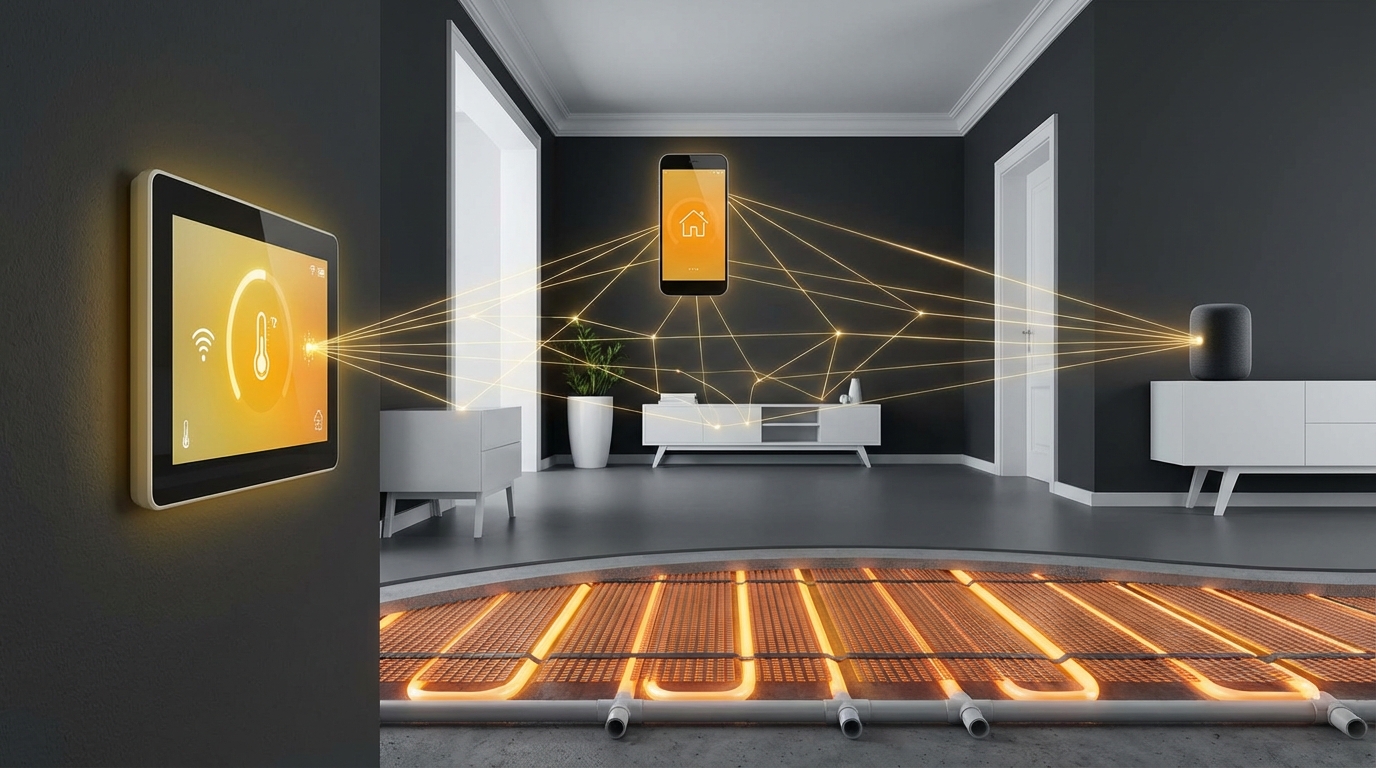
So, you are trying to figure out how smart home integration works with underfloor heating thermostats and how all of this links to your tech setup at home. The direct answer is: underfloor heating thermostats can plug into your smart home system through Wi-Fi, open smart home standards, and voice assistants, so you control heat from apps, routines, and automations instead of old wall dials.
You are basically taking something very “physical” and slow to respond (underfloor heating) and giving it a digital brain. That brain connects to your router, smart home hub, and the apps you already use. Do it well and you get more comfort, lower bills, and less manual fiddling. Do it badly and you get lag, missed schedules, and a lot of frustration.
Things move quickly in smart home tech. New standards appear, old apps get shut down, and devices stop getting updates. So if you are going to put heating under your floors and lock it to a thermostat, you want to be careful about the tech stack around it.
Here are the key things you need to know before you connect underfloor heating thermostats to your smart home.
- Underfloor heating reacts slowly, so your smart setup must respect that lag.
- Wi-Fi, Zigbee, Z-Wave, and Matter are the main connection options for smart thermostats.
- Most modern thermostats work with Alexa, Google Home, and often Apple Home.
- Bad placement of temperature sensors ruins comfort and kills any tech advantage.
- Smart schedules, presence detection, and weather data can cut energy waste.
- You need to think early about zones, wiring, and hubs, not at the end of the project.
- Data from your thermostat can show you where your home is leaking heat.
- Do not rely only on “smart” features; you still need safe controls and limits.
How smart underfloor heating thermostats actually work
So, you are trying to understand what a “smart” underfloor thermostat really does under the hood. The short answer is: it switches heating circuits on and off based on temperature readings and schedules, then shares that control with your router and smart home apps.
Underfloor systems come in two main types:
- Hydronic (water-based): hot water pipes built into the floor, driven by a boiler or heat pump.
- Electric: electric heating mats or cables under tiles, wood, or laminate.
The thermostat does the thinking, but the thinking is not magic. It is a feedback loop:
1. Read temperature (from air, floor, or both).
2. Compare with your target setpoint.
3. Decide whether to send power or open a valve.
4. Wait, measure again, adjust.
The “smart” layer adds some extra pieces on top:
- Wi-Fi or another wireless protocol to connect to your network.
- An app or web interface to set schedules and modes remotely.
- Integration with a broader smart home platform for automations.
- Cloud services for updates, remote access, and often analytics.
Think of the thermostat as a tiny computer in the wall, with a relay or triac inside that actually switches the heating load.
Underfloor heating is slow. A good smart setup does not fight that delay; it plans for it.
Why underfloor heating is different from radiators
So, you are trying to treat underfloor heating like a standard radiator system with quick on/off changes. That approach does not work. Underfloor systems have high thermal mass. They warm up and cool down slowly, sometimes taking hours.
That lag has a direct effect on the tech:
- You cannot expect instant changes when you tweak the temperature from your phone.
- Schedules must start heating before you wake up or arrive home.
- Short “boost” programs often do not do much for comfort.
- Over-aggressive algorithms can overheat rooms if they respond like a fast system.
If you are setting up automations, think in blocks of hours, not minutes.
If your app promises instant comfort with underfloor heating, be careful. Physics disagrees.
Connection methods: how thermostats talk to your smart home
So, you are trying to choose between Wi-Fi, Zigbee, Z-Wave, Matter, or proprietary protocols for your underfloor heating thermostat. The direct answer is: if you want simple and self-contained, go Wi-Fi; if you want a more integrated, long-term system, consider Zigbee or Matter-compatible devices with a hub.
Here is a simple comparison.
| Protocol | Needs hub? | Good for | Watch out for |
|---|---|---|---|
| Wi-Fi | No (just router) | Easy installs, single rooms, small homes | Router load, cloud lock-in, potential latency |
| Zigbee | Yes | Larger setups, many devices, local control | Hub choice, vendor compatibility |
| Z-Wave | Yes | Smaller interference, good range | Fewer devices, different regional bands |
| Matter (over Wi-Fi/Thread) | Border router / controller | Cross-platform support, future-focused installs | Young standard, partial feature support |
Wi-Fi thermostats
So, you are looking at Wi-Fi underfloor heating thermostats because they seem simple. The answer is: they work well for many homes, as long as your Wi-Fi is stable and you accept that most of the logic may sit in the cloud.
Typical traits:
- Connect directly to your home router.
- Use a branded app (often required for setup).
- Offer remote control over the internet.
- Usually integrate with Alexa and Google Home through cloud links.
This is fine if:
- You have reliable internet.
- You are okay with your heating being partly cloud controlled.
- You do not plan a huge number of devices.
If your Wi-Fi is weak where the thermostat sits, you might need:
- Better access points or mesh Wi-Fi.
- Wired backhaul for access points for more stable coverage.
If your Wi-Fi struggles to stream video in a room, placing a smart thermostat there without fixing the network first is asking for trouble.
Zigbee and Z-Wave thermostats
So, you are thinking about Zigbee or Z-Wave for more reliability. Both are designed for smart home devices that talk often but use less power and bandwidth than Wi-Fi.
Key points:
- They build mesh networks. Each powered device can relay signals.
- They often allow more local control if paired with the right hub.
- You need a compatible hub or gateway (like a dedicated box or a smart home controller).
These shine when:
- You are already running a smart hub such as Home Assistant, Hubitat, or similar.
- You plan to connect many devices beyond heating (sensors, switches, lights).
- You care about automation speed and local rules, even if the internet is down.
Matter and the future of smart home standards
So, you are hearing about Matter and wondering if you should wait for it or demand it for underfloor thermostats. The simple answer: if you are doing a new build or a major renovation, Matter support is worth prioritizing, but you should still confirm that current features meet your needs.
Matter aims to make devices work across platforms more cleanly. In practice this means:
- You can add the same thermostat to Apple Home, Google Home, and Alexa without vendor lock-in.
- You get more local control between devices on your network.
- You are less tied to a single app if a vendor shuts down.
Right now, not every thermostat feature always maps perfectly into every platform through Matter, especially for more complex heating logic, multi-zone controls, and advanced sensors. So you want to carefully check:
- Does the thermostat support Matter natively, or only via a bridge?
- Which features are exposed through Matter vs only through the vendor app?
When you invest in tech inside walls and floors, think in decades. Protocol choice matters more there than in a light bulb.
Voice assistants and app control
So, you want to manage underfloor heating with Alexa, Google Home, or Apple Home, maybe even by voice while you are cooking or on the sofa. That is perfectly realistic now.
Most smart thermostats for underfloor systems today allow:
- Basic voice commands such as:
- “Set living room temperature to 21 degrees.”
- “Turn underfloor heating in kitchen off.”
- Home / Away modes linked with location or presence sensors.
- Scene control through the main smart home app, not only the vendor app.
A few things to check before you buy:
- Does it offer “Works with Alexa / Google Home / Apple Home” with heating controls, not just on/off?
- Are all zones visible by name in your assistant?
- Is there support for temperature ranges and modes, not just a single setpoint?
Voice control is nice, but it is not the main value. The real benefit lies in smart schedules and automations, which we will get to.
Zones: the heart of underfloor heating integration
So, you are not sure how many zones you need for underfloor heating or how that affects smart tech. The direct answer: more zones give better control and comfort, but each zone adds a thermostat or actuator, which means more devices to connect and manage.
A zone is a space with its own temperature control. In many underfloor systems, a zone maps to:
- One room (living room, bathroom, bedroom).
- A group of rooms with similar usage (open-plan living and dining, bedroom wing).
Smart home integration really comes alive when:
- Your heavily used rooms have their own zones.
- Rooms with different comfort needs are separate.
For example:
| Area | Recommended zone approach | Reason |
|---|---|---|
| Open-plan living / kitchen | 1 zone | Shared air, similar use pattern, easier control |
| Bathrooms | Each as separate zones | Higher comfort temperature, short usage bursts |
| Guest bedroom | Separate zone | Often unoccupied, can stay cooler most of the time |
| Hallways / corridors | Grouped zones | Less critical comfort, may follow nearby rooms |
Your thermostats become the link between physical zones and digital zones in your smart home platform. If you name them well, life is easier later.
Spend more time thinking about zones than apps. A bad zone layout is hard to fix with software.
Thermostats, actuators, and manifolds
So, you are wondering how the wiring works between underfloor thermostats and the heating pipes or mats. The answer is: the thermostat does not talk to pipes directly; it controls actuators (for water systems) or the electric circuits.
For hydronic underfloor heating:
- The manifold distributes hot water to each loop.
- Each loop or group of loops has an actuator (little motor valve).
- The thermostat sends on/off control to those actuators through a wiring center.
For electric underfloor heating:
- The thermostat usually switches the load to the heating mats directly.
- There is often a separate floor sensor wired to the thermostat.
This wiring matters for smart home integration because:
- Each zone that you want smart control for needs its own smart thermostat or smart relay.
- Mixing smart and non-smart thermostats in the same house is possible but can get confusing.
Temperature sensors: air vs floor and why placement matters
So, you are not sure whether to control underfloor heating by room air temperature or floor temperature. The short answer: you usually want air temperature to decide comfort, with floor limits to protect the floor and keep it pleasant underfoot.
Underfloor thermostats often support:
- Air sensor only: reads the room air near the thermostat.
- Floor sensor only: uses a probe embedded in the floor.
- Combined mode: air control with floor min/max limits.
For most rooms:
- Use air temperature as the main target.
- Use floor minimum in cold areas to keep the surface from feeling cold.
- Use floor maximum to protect wood or other sensitive finishes.
For bathrooms:
- People often prefer a warm floor even if air temperature is moderate.
- A floor-controlled mode can make sense there, with an upper safety limit.
Placement tips:
- Do not put the thermostat in direct sunlight or near drafts.
- Keep it away from heat sources like radiators, ovens, or TVs.
- Make sure the floor sensor is well seated in the floor layers and not near pipes that are not part of the loop.
If the sensor lies to the thermostat, the best smart home logic in the world cannot fix the outcome.
Smart scheduling and automations that actually help
So, you are trying to figure out which automations give real benefit with underfloor heating and which are just marketing. The direct answer is: long-term schedules, presence-based setbacks, and weather-aware preheat give value; constant micro-changes do not.
Here are some practical automations that work well with slow systems like underfloor heating.
1. Time-based schedules with preheat
Since underfloor heating has lag, you want your thermostat to start heating early so the room reaches target temperature when you need it, not an hour later.
Useful patterns:
- Wake-up comfort: start heating 1 to 2 hours before your usual wake time.
- Evening comfort: ramp up before you arrive home from work.
- Night setback: let temperatures drop a bit while you sleep, but not too far.
Many smart thermostats support “adaptive” or “learning” preheat based on:
- How long your specific room takes to warm up.
- Outside temperature where you live.
This connects nicely with weather API data in the cloud. The thermostat or hub can watch outside conditions and adjust start times automatically.
2. Presence-based setback
So, you want your home to turn down heating when no one is home. This is one of the clearest wins in smart home integration.
Presence can come from:
- Phone location tracking via your main smart home app.
- Smart locks or security systems knowing when you arm “away”.
- Motion sensors that detect occupancy patterns.
With underfloor heating, you do not want to fully turn off zones every time you leave for a short period. Instead, you can:
- Drop the setpoint by a few degrees when everyone leaves.
- Restore comfort temperature when the first person is on the way back.
This keeps floors from cooling too much while still saving energy.
3. Window and door open detection
Heating while a window is open is wasteful. For underfloor systems, turning off instantly may not be ideal (because the floor is still warm), but it still makes sense to react to long openings.
You can:
- Install door/window sensors and connect them to your hub.
- Create a rule: if window open in a zone for more than 5 to 10 minutes, set setback temperature.
- Return to normal when the window closes.
This works best when you tie sensors to specific rooms, not just a global rule.
4. Cross-device scenes
So, you want a “movie night” or “relax” scene that feels coordinated, not random. Underfloor heating can be part of this by nudging comfort levels in living spaces.
Example scenes:
- “Evening”: lower blinds, dim lights, slightly raise living room temperature by 1 degree for comfort.
- “Away for weekend”: lower temperatures across the house, switch off non-essential plugs, arm security.
The thermostat here acts like another device in your scenes, not a separate world.
Energy data and analytics from your thermostat
So, you want to link energy usage data from underfloor heating into your broader home energy tracking. Many smart thermostats now log:
- Heating on-time per zone per day.
- Estimated energy consumption.
- Historical temperature trends.
When you integrate this with other tech:
- You can see which rooms are the biggest consumers.
- You can compare actual heating times with outside temperature.
- You can measure impact after insulation or window upgrades.
Some advanced setups combine:
- Smart thermostats
- Smart electricity meters
- Solar inverters
This lets you:
- Shift some heating to times when your solar output is strong.
- Avoid peaks when grid electricity is most expensive (if you have time-of-use tariffs).
Your thermostat can be more than a controller. It can be a sensor that feeds useful data into how you plan upgrades across the home.
Privacy, security, and software support
So, you are worried about putting your heating system on the internet and what that means. This is reasonable. Heating is part of your comfort and safety, and it runs every day.
Key points to think through:
- Local vs cloud control: can the thermostat still follow schedules if internet is down?
- Account and password hygiene: does the vendor support proper authentication and maybe two-factor?
- Firmware updates: how often does the brand update devices, and for how many years?
- Data collection: what usage data is stored in the cloud, and is there a way to export or delete it?
Look for products that:
- Document their security practices.
- Offer local API access or integration with local hubs.
- Have a history of firmware updates, not abandoned devices.
When your heating depends on an app that might not exist in five years, you take a risk. One way to reduce that risk is to:
- Prefer devices that support open standards like Matter or at least common protocols like Zigbee.
- Use a local smart home hub that can keep basic automations running even if vendor cloud fails.
Common integration mistakes to avoid
So, you want to avoid the typical traps people fall into when connecting underfloor heating to a smart home. Here are frequent issues and simple fixes.
- Buying on app design alone
- Nice design is good, but you need compatibility across platforms and protocols.
- Check if the app is the only way to control advanced settings.
- Ignoring the slow response of underfloor systems
- Setting aggressive occupancy-based rules like “turn off if no motion for 10 minutes” makes little sense.
- Use underfloor heating as a background comfort layer, not as a fast reaction system.
- Mixing too many brands and protocols
- One zone on Wi-Fi brand A, another on Zigbee brand B, a third on proprietary RF creates a maintenance headache.
- Try to standardize around one or two families that speak to your hub well.
- Bad naming and zone mapping
- Names like “Zone 1” or “UFH 3” make automations confusing later.
- Use real room names that match how you talk: “Kitchen”, “Master bedroom”, “Kids bathroom”.
- No physical backup
- Relying only on the app can be a problem if your phone dies or guests need to adjust the heat.
- Wall thermostats with clear manual controls give you a fallback.
Planning integration during renovation or new build
So, you are at the planning stage of a renovation or new build and you want to get underfloor heating right from the start. The direct answer: plan wiring, zones, and network coverage along with your heating design, not after the floor is finished.
Here is a practical checklist.
- Decide on protocols early
- Pick Wi-Fi or Zigbee/Z-Wave/Matter as your main path.
- Check how that choice fits with your other planned smart devices.
- Place wiring centers and manifolds with access in mind
- Make sure you can reach them later for changes or troubleshooting.
- Leave clear labeling for each loop and zone.
- Run sensor cables where needed
- Floor probes should be in conduits where possible, so you can replace them if they fail.
- Plan thermostat cable runs to logical wall positions at comfortable height.
- Test network coverage
- Check Wi-Fi strength or hub range in the places where thermostats will be located.
- Upgrade access points before walls and cabinets lock access down.
- Coordinate with HVAC and electrical contractors
- Share the brands and models of smart thermostats you plan to use.
- Confirm compatibility with heating manifolds, boilers, or heat pumps.
Fixing a bad smart heating layout later is much harder than taking one more hour to plan before the screed goes down.
Real-world use cases that connect heating to other tech
So, you want some concrete examples of how underfloor heating thermostats can link to other tech in your home. Let us walk through a few practical setups.
Case 1: Underfloor heating + solar panels
You have solar PV and an electric underfloor heating area, maybe in a bathroom or hallway. You can connect:
- Your inverter data (production level).
- Your smart meter data (import/export).
- Your thermostat controls.
With a smart hub, you could:
- Raise floor temperature slightly during times of solar surplus so stored heat in the floor offsets later grid usage.
- Avoid heating during peak grid tariffs unless a comfort rule requires it.
This turns your floor into a mild thermal battery.
Case 2: Heat pump with low-temperature underfloor heating
You run a heat pump with underfloor loops at low water temperatures, which is quite common now. Smart integration can:
- Keep flow temperatures low for better system performance.
- Coordinate room-by-room calls for heat to avoid frequent cycling.
- Use weather data to adjust the heating curve and preheat at the right times.
Some heat pumps already come with smart apps and cloud services. If your underfloor thermostats also talk to a central smart hub, you can fine-tune:
- Zones where you accept slightly lower temperatures.
- Rooms that you prioritize during very cold spells.
Case 3: Short-term rentals and guest control
You host guests often or run a short-term rental. Underfloor heating is nice for comfort, but you do not want guests cranking settings to extremes.
Smart thermostats give you:
- Remote oversight of temperatures between stays.
- Limits on maximum and minimum temperatures.
- Quick “reset to default” scenes after checkout.
Connected to your booking system or a smart lock platform, you can:
- Switch from eco mode to comfort mode a few hours before check-in.
- Return to setback mode once guests leave and the smart lock confirms checkout.
Choosing the right underfloor heating thermostat for smart integration
So, you are standing in front of many options and want a concrete decision process. Here is a simple selection path you can follow.
Step 1: Identify your heating type and wiring
- Is your system electric or hydronic?
- What is the load (power or current) per zone?
- Do you have a wiring center or will thermostats switch loads directly?
Your thermostat must match voltage and current ratings and must be compatible with the type of actuators used.
Step 2: Decide on your main smart home platform
- Are you mostly in the Alexa world, Google Home, Apple Home, or a local hub approach?
- Do you prefer keeping as much logic local as you can?
Choose a thermostat that:
- Integrates natively with the platform you actually use every day.
- Works with the protocols already running in your home where possible.
Step 3: Check long-term support signals
Look for signs like:
- Multi-year history of firmware updates in the release notes.
- Support pages and documentation that show current activity.
- Clear statements about integration with current standards such as Matter.
Step 4: Evaluate app and local controls
Ask yourself:
- Can you adjust basic settings from the wall device if the app disappears?
- Are advanced options buried in a complicated app or quite accessible?
- Does the app give useful charts and data that you will actually check?
Step 5: Think through real usage scenarios
Walk through your day:
- When do you wake, leave, return, and sleep?
- Which rooms need higher temperatures at which times?
- Where could presence or weather data save you money?
Pick a thermostat that lines up with these real habits, rather than only going by generic feature lists.
Practical tip to apply today
So, you already have or are about to buy smart underfloor thermostats and want one concrete improvement you can make right away. Do this: pick your most used room, set a clear daily schedule with a small night setback (2 to 3 degrees), then enable whatever “adaptive” or “preheat” feature the thermostat or platform offers and monitor it for a week.
During that week:
- Note how long it takes from heating start to comfortable temperature.
- Adjust start times based on real data, not guesses.
- Once that room feels right, copy the pattern to other key rooms, then refine per room.
That single step turns “smart” from marketing into visible comfort and energy savings, and it anchors the rest of your smart home integration around real habits rather than theory.