
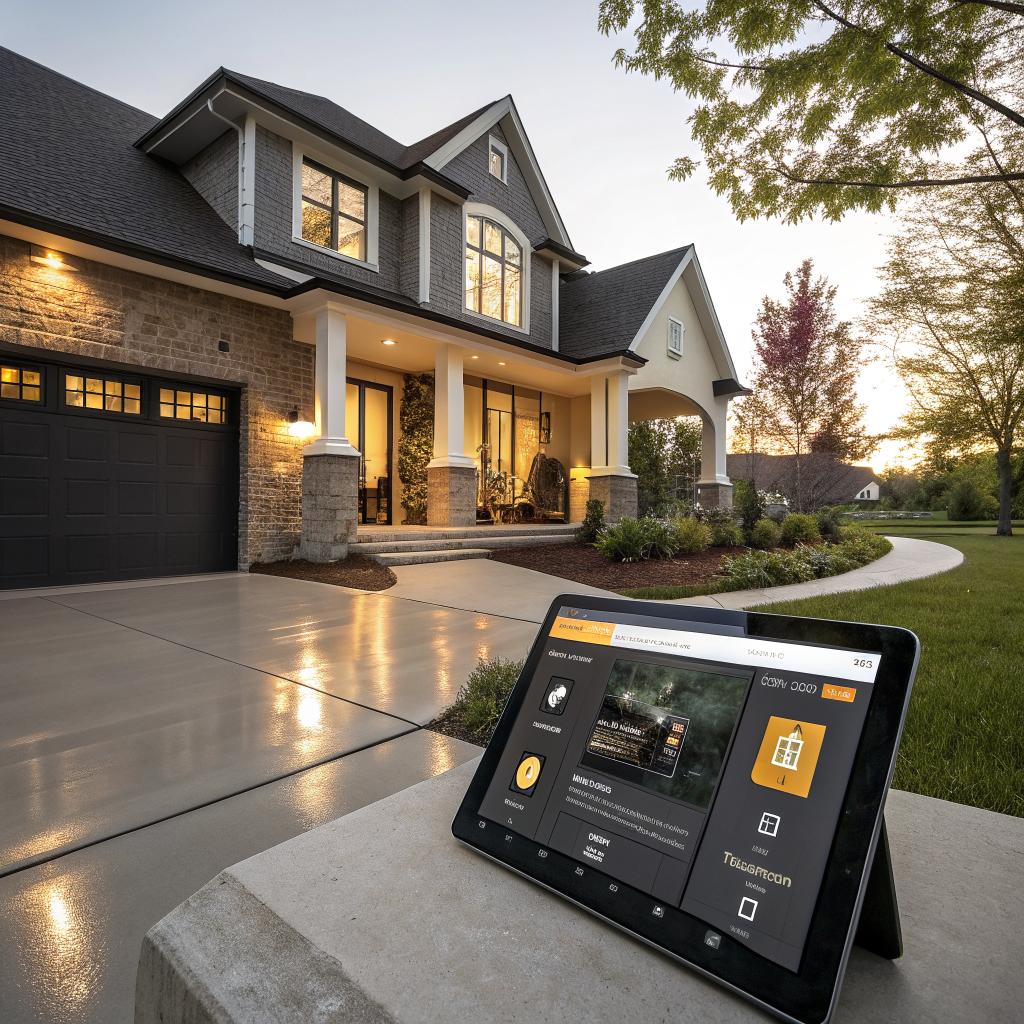
So, you are trying to figure out how smart home automation fits into a remodel in Indianapolis, Indiana, and how it connects with things like new floors, walls, and layout changes. The short answer is that you should plan your smart home wiring, devices, and controls at the same time you plan your renovation so you can hide cables, place outlets in the right spots, and avoid tearing up fresh drywall or flooring later.
If you treat smart home upgrades as part of the remodel instead of an afterthought, you save money, keep your home cleaner, and get a setup that actually matches how you live. You also give yourself room to grow, so if you add more devices in a year or two, you are not fishing wires through finished spaces or cutting into your new floors. For many homeowners in central Indiana, the starting point is to sit down with a contractor and a qualified electrician, look at your floor plan, and decide what you want your house to “do” for you before anyone starts pulling cable.
- Plan smart wiring and power early, not at the end
- Coordinate lighting, flooring, and wall changes with your smart layout
- Use low-voltage wiring and extra conduit while walls and floors are open
- Think about how you move through your home, not just where outlets are
- Mix wired and wireless solutions to keep costs reasonable
- Use scenes and automations that match daily life in Indianapolis (weather, seasons, etc.)
- Leave room for future devices you have not thought about yet
For people in the area who want a more guided approach, many start by talking to local pros about smart home automation Indianapolis Indiana and then fold those ideas into their remodel plan.
Why smart home automation fits so well with a remodel
When you remodel, you are already dealing with dust, noise, and trades moving through your house. That is actually the ideal time to run extra wires, move outlets, patch walls, and adjust lighting.
Smart home features often need:
- Power at new locations (for cameras, keypads, powered shades)
- Low-voltage wiring for data or sensors
- Network access points for good Wi‑Fi coverage
- Room in the electrical panel for new circuits
Doing that work after new floors, tile, or cabinets are installed is harder. Sometimes much harder. You might have to cut into walls, patch and repaint, or drill through new cabinetry.
Smart home planning during a remodel is less about “gadgets” and more about getting power, data, and controls where you will actually use them.
If you are already updating flooring, layout, or lighting, you have a chance to rethink how each room feels when you walk into it. That is where smart lighting, smart thermostats, and simple scenes can really help.
Start with how you live, not with the tech
People often start by asking, “What smart devices should I buy?” That is the wrong first question. A better starting point is, “What do I wish my house did for me?”
Think about your daily patterns:
- What happens when you come home in the evening?
- How do you move through your kitchen, living room, and bedrooms?
- Where do you fumble for light switches right now?
- Do you often forget garage doors, lights, or fans?
- Are there safety worries, like dark stairs or kids wandering at night?
Once you answer those, then you can look at devices.
Some examples from real-world remodels around Indianapolis:
- A couple in Broad Ripple added floor outlets and smart plugs so their floor lamps in the living room come on with one button, without cords running across their new hardwood.
- A family in Fishers had smart motion lighting installed in their mudroom and hallway so lights come on low at night when someone walks through.
- A homeowner in Meridian-Kessler added powered shades and tied them to sun exposure on their large south-facing windows to help keep the room more comfortable in summer.
If a smart feature does not solve a small everyday annoyance, it usually ends up unused after the first month.
Why remodeling and flooring changes matter for smart planning
You mentioned flooring and renovation, so let us connect those directly.
When floors are coming out or being replaced, you get rare access to run new wiring under the surface or along joists. That matters for:
- Floor outlets in large living rooms or great rooms
- Wiring to kitchen islands
- Low-voltage runs to in-floor sensors or stair lighting
- Speakers in ceilings or near built-ins
It is very hard to add a floor outlet in the middle of a finished hardwood or luxury vinyl plank floor without making a mess. But doing it while the subfloor is open is usually straightforward.
If you are redoing tile in a bathroom, that is a good moment to think about:
- Smart heated floors that you can schedule or adjust from your phone
- Occupancy sensors that turn the fan on when someone uses the bathroom
- Subtle LED toe-kick lighting under vanities for night use
New flooring also changes echo and sound quality in a room. Hardwood and tile reflect sound more than carpet. If you plan on built-in speakers or a home theater, it is smart to think about acoustics while choosing flooring and deciding where speakers and seating will go.
The more permanent the surface, like flooring or tile, the more you want to plan every outlet, wire, and device around it before everything is sealed up.
Key smart systems to think about during a remodel
1. Lighting and controls
Lighting is usually the first and most visible smart upgrade, and it ties directly into your electrical work and room layout.
You have a few options:
| Type | What it is | Best for remodels |
|---|---|---|
| Smart switches | Wall switches that control regular bulbs | Whole rooms, ceiling lights, exterior lights |
| Smart bulbs | Bulbs with built-in wireless control | Lamps, accent fixtures, rentals |
| Smart dimmers/keypads | Multi-button controls that run scenes | Main living areas, kitchens, open floor plans |
During a remodel, smart switches and dimmers often make more sense than individual bulbs, especially for ceiling fixtures and recessed lighting. The electrician is already updating wiring and boxes, so swapping in compatible smart controls can be straightforward.
Think about:
- 3-way and 4-way switches on long hallways and stairs
- Kitchen scenes like “Cooking,” “Dinner,” and “Cleanup”
- Exterior lights on schedules with sunset and sunrise
- Night lighting on low brightness for late trips around the house
If you are adding can lights, under-cabinet lighting, or accent lighting, ask where you want physical controls and where you can rely on automations.
2. Smart thermostats and comfort
In central Indiana, we get hot summers and cold winters. A smart thermostat can help with comfort and energy savings, but during a remodel you can also add related features:
- Room sensors in key spaces that tend to be hotter or colder
- Smart vents for rooms that are always uncomfortable
- Wiring for a future second thermostat if you plan to zone the home
If you are opening walls around existing thermostat runs or ductwork, this is a chance to adjust placement. Most thermostats live in odd spots, like behind doors or in hallways that do not match real room temperatures.
Questions to ask yourself:
- Do you want your thermostat visible as a design feature, or hidden?
- Are you adding insulation or new windows that change how the home holds heat?
- Do you want voice or app control from bed or the sofa?
Sometimes people overcomplicate HVAC automation. Often, a single smart thermostat, a couple of remote sensors, and a basic schedule handle most of the benefit.
3. Smart security and entry
Security feels like a big topic, but start small.
For most Indianapolis homes, a smart setup might include:
- Smart locks on 1 or 2 main doors
- A video doorbell at the front
- Key cameras such as front porch, driveway, and back yard
- Window and door sensors if you want a full system
When you remodel, think about:
- Running power to camera locations instead of relying only on batteries
- Hiding low-voltage cabling for hard-wired doorbells and cameras
- Placing doorbell chimes and in-wall keypads where they make sense with the new layout
- Making sure trim and siding work allow for clean mounting of devices
One small detail people forget: if you are replacing doors or trim, ask your contractor to coordinate with whoever installs the smart locks and doorbell so everything lines up properly.
4. Audio, video, and media
If you are opening walls, this is the perfect time to think about:
- In-wall or in-ceiling speakers for living rooms, kitchens, and patios
- Concealed HDMI and power for TVs on the wall
- Structured wiring to a central media closet or cabinet
- Ethernet lines to TVs and streaming devices
Wireless streaming is nice, but wiring backbones during a remodel still pays off. It reduces lag for TVs, supports high-quality audio, and keeps visible clutter low.
Here is a quick comparison to keep in mind:
| Feature | Wireless only | Wired during remodel |
|---|---|---|
| Reliability for streaming | Can vary with Wi‑Fi load | Stable and predictable |
| Appearance on walls | Visible cables or raceways | Hidden in wall |
| Effort after remodel | Easy to add devices | Harder to add wires later |
You do not need wires for everything. But having wiring to main TV areas and a few ceiling speaker spots opens up options later without cutting into your new paint and trim.
5. Smart shades and natural light
Smart shades and blinds can feel like a luxury, but in some rooms they are more practical than you might expect, especially with big windows.
During a remodel you can:
- Power shade locations so you are not stuck with battery tubes
- Hide power supplies in nearby closets or soffits
- Plan shade fabric and color to match new floors, paint, and trim
- Sync shades with lighting scenes
Think about rooms that get too much sun in the afternoon, or bedrooms where you want blackout control with one button. In Indiana, those hot west-facing windows in summer can be pretty intense, and automated shades can help.
Planning wiring and network while walls are open
This is where a lot of the long-term value comes from. It is not glamorous, but having a simple wiring plan while the studs are exposed can save headaches for years.
Where to centralize things
Most smart home setups work best if you centralize some parts:
- Internet modem and main router
- Network switch for Ethernet runs
- Security system hub, if you have one
- Smart home hub, if your platform needs it
This is often a small closet, mechanical room, or even a section of the basement. Try to avoid tucking everything in a hot attic or somewhere hard to reach. You will end up needing to reset something during a thunderstorm at some point.
Ask yourself:
- Where can I put gear so it has power, some ventilation, and is out of the way?
- Where do most of my cable runs naturally meet?
- Is there room to add more devices later?
Extra wiring that will not cost much now
During a remodel, there are a few “while you are at it” items that are usually worth it:
- Ethernet lines to TVs, home office, and main living areas
- Conduit from the basement or central closet up into the attic for future wires
- Extra deep electrical boxes where you know you want smart switches
- Power at high locations on walls for future mounted devices or art lighting
- Power in closets or cabinets for hubs and chargers
Running empty conduit can be especially useful. It creates a pathway for whatever future cable types show up.
Choosing a smart home platform during a remodel
This part can get confusing fast, and people often rush into a single brand because it is familiar. I think it helps to step back.
Most modern homes in Indianapolis that are remodeling will pick one main ecosystem, usually one of:
- Apple Home
- Google Home
- Amazon Alexa
- A more advanced system from a specialty installer
With Matter and Thread becoming common, more devices can talk to each other, but there are still quirks.
Some honest questions to ask before you commit:
- Which voice assistant, if any, do you actually want in your house?
- Do you mostly use iPhones, Android, or a mix?
- Do you care about advanced scenes and fine control, or just basics?
- Are you comfortable messing with settings, or do you want something that “just works” with less tinkering?
You do not have to pick perfectly on day one, but choosing a general direction will help guide device selection during the remodel.
How smart home choices affect your flooring project
Since the site you are posting on revolves around renovation and flooring, let us pull those threads together a bit more.
Here are a few common areas where smart planning and flooring collide:
Floor outlets in open spaces
Open concept rooms often end up with furniture floating away from walls. If you do not plan for this, you get extension cords, which never look good on new floors.
During subfloor work, consider:
- Floor outlets near seating groups
- Smart plugs or controlled floor outlets for lamps
- Exact rug and furniture layout to pick outlet locations
If you plan it well, you can tap a wall keypad or tell your assistant “Goodnight” and have all those floor-lamp circuits switch off cleanly.
Smart heated floors in bathrooms
Heated floors paired with a smart thermostat or timer can be a small luxury that is surprisingly practical in Indiana winters.
When re-tiling:
- Lay heating mats or cables under the tile
- Run proper electrical circuits and controls
- Tie the controls into your smart system if you want schedules
You could, for example, warm the bathroom floor before your normal wake-up time on weekdays, then let it stay off during the day to manage energy use.
Under-cabinet and toe-kick lighting with hard flooring
In kitchens and bathrooms with tile, vinyl, or hardwood, low-level lighting can make nighttime movement safer and more comfortable.
During remodel:
- Run low-voltage wiring for LED strips under cabinets
- Add smart control so they can come on with motion sensors
- Set them to very low brightness for nighttime
Because these rooms often get the most durable, reflective floors, subtle lighting can keep glare down compared with overhead lights.
What to ask your electrician and contractor
Not every remodeler or electrician is deep into smart home planning, and that is fine. But you can still ask questions that guide the project in a good direction.
Consider bringing up:
- “Can we plan for extra deep switch boxes where we know I want smart switches?”
- “Where would you suggest putting a small central equipment area for my modem and network gear?”
- “Can we run conduit from here to the attic/basement during the remodel?”
- “If I want future hard-wired cameras, where would you pre-wire power or low-voltage lines?”
- “Will this layout support adding floor outlets before we install the new floors?”
And be honest about your own comfort level. If you are not going to maintain a complex system, keep things simple and reliable rather than chasing every feature.
Balancing wired and wireless in a remodeled home
Some people think a “smart home” means every device is wireless. Others think everything must be wired to be any good. Reality sits somewhere in the middle.
A practical mix for most Indianapolis remodels might be:
- Wired: main TVs, access points, cameras in key spots, doorbells
- Smart switches: most lighting circuits
- Wireless: plugs, bulbs for lamps, some sensors
- Hybrid: thermostats, locks, garage door opener control
The remodel phase is the best time to lay the wired backbone. Then you layer wireless pieces where they make sense.
If your Wi‑Fi router used to live at one end of the house and now you are opening spaces or adding an addition, you may also want to look at better access point placement. It is much easier to ceiling-mount access points and run Ethernet to them before the ceiling is finished.
Common mistakes people make with smart home remodels
It might help to see where projects go sideways. Some of these are small annoyances, others are expensive to fix later.
1. Waiting too long to mention smart plans
If you wait until drywall is up and flooring is in to say, “By the way, I want smart lighting and cameras,” you are now asking for add-on work. That might mean:
- Visible conduit or surface raceways
- Cutting patches in new drywall
- Fishing wires around new cabinets or built-ins
Mention your interest in smart features early in the design stage, even if you do not know every detail yet.
2. Overloading Wi‑Fi and skipping hard wires
Modern homes can easily end up with dozens of Wi‑Fi devices. If every camera, TV, speaker, and sensor is wireless, your network can struggle.
Running a few Ethernet lines during the remodel takes some pressure off the wireless side. It also helps during storms when wireless can be flaky.
3. Putting gear in hot or awkward spaces
Stuffing routers, hubs, and network switches into a small, unventilated closet or attic corner leads to overheating and random issues. And nobody enjoys dragging a ladder out just to reset a router.
Try to place key gear:
- Above potential flood risk but below hot attics
- Near an outlet, with some room for growth
- Somewhere you can easily reach and see indicator lights
4. Ignoring lighting “feel”
It is easy to get caught up in brightness levels and forget tone. New floors and wall colors change how light feels.
When you pick smart lighting, think about:
- Color temperature that works with your flooring (warm with wood, slightly cooler with gray tones)
- Dim levels for TV watching or evenings
- How much reflection or glare shows up on glossy tile or dark wood
Sometimes it helps to set up a sample smart bulb and live with it for a week before committing to a whole house approach.
5. Installing tech you will not use
It is easy to overbuy gadgets during a remodel. Everyone is already in the house, cutouts are easy, and every catalog page looks tempting.
Ask yourself for each device:
- Will I use this at least a few times each week?
- Does it replace an existing annoyance?
- Will it still feel helpful after the “new” feeling wears off?
If the honest answer is “probably not,” consider skipping it and focusing on better wiring and more thoughtful lighting instead.
Cost thoughts: where smart upgrades often give the most value
Budgets are real. If you have to pick and choose, some areas tend to bring more value in everyday life.
Roughly in order of impact for a typical remodel:
- Smart lighting controls in main living areas, kitchen, and exterior
- Good Wi‑Fi and some wired Ethernet to key spots
- Smart thermostat and a few comfort tweaks
- Smart locks and a video doorbell
- A few well-placed cameras, if you want them
- Pre-wiring for future speakers and shades
- More advanced or niche devices
You can still plan wiring for future items even if you do not install them right away. That keeps short term costs reasonable while protecting your options later.
One possible step-by-step approach for an Indianapolis remodel
Every project is different. But if you are not sure where to start, a simple path might look like this:
Step 1: Define routines and must-haves
Write out a few daily routines.
For example:
- Morning on workdays
- Returning home in the evening
- Weekend at home
- Travel days when the house is empty
Under each routine, note what you wish the house did automatically. Lights on paths, temperature changes, maybe shades. This list becomes your guide.
Step 2: Share that with your remodel team
Bring your notes to a meeting with your contractor and electrician. You do not need brand names yet. Focus on:
- Where you want control points
- Which rooms matter most
- What surfaces are being opened or replaced
They can then suggest where wiring and extra boxes should go.
Step 3: Decide on a main smart platform
Pick your ecosystem, even if roughly. This helps avoid buying gear that will not talk easily to the rest of your system.
Step 4: Plan wiring, outlets, and boxes
Before rough-in work, draw a simple map:
- Switch locations and which ones should be smart
- Camera and doorbell spots, plus their power
- Floor outlets and kitchen islands
- Ethernet destinations
- Access point locations
Adjust as needed during walkthroughs.
Step 5: Install core devices during or right after the remodel
Start with:
- Smart switches and dimmers
- Smart thermostat
- Locks, doorbell, and main cameras
- Network gear and access points
Make sure everything is stable and you understand the controls before layering on more complex scenes.
Step 6: Add scenes and small automations over time
Once the dust settles and your floors are covered and protected, start creating:
- “Away” scene that turns off lights, sets the thermostat, and locks doors
- “Goodnight” scene that secures the house and sets soft lighting paths
- “Movie time” scene in the main room if you have that setup
- Simple motion triggers in hallways or bathrooms
Take a few weeks with each change so you see what works and what annoys you. Then adjust.
Common questions about smart home automation during remodels
Is it worth running wires when wireless options exist?
In many cases, yes. Wireless is great for flexibility, but wired connections are still more reliable for high-bandwidth uses like TV streaming and for always-on devices like cameras. During a remodel, the cost to add a few runs is usually much lower than trying to fish cables in later. That said, you do not need to wire everything. Focus on main TVs, a few camera spots, and access points.
What if I am not very “techy”?
You do not need to be. If you keep your system focused on a few clear routines and avoid very complex automations, smart home tech can be as simple as regular switches but more convenient. Choose devices that have good reputations for stability over ones that brag about every possible feature. And do not be shy about asking your installer to walk you through daily use a couple of times.
Will smart devices go out of date fast?
Some will. That is just the reality. But wiring and good lighting layouts age much slower. So during a remodel, prioritize the parts of the system that are hard to change later: wiring, location of controls, power to key spots, and reasonable network coverage. Devices can be swapped with less trouble, especially if you are using standard-sized boxes and common protocols.
Can I start small and grow my smart system later?
Yes, and honestly that is often the healthiest way to approach it. Use the remodel window to do the structural work: wires, outlets, conduit, panel capacity. Then start with a few smart switches, a thermostat, and a lock. As you live with the new layout and new floors, you will see where more automation would help and where it would just be extra complexity.
How do I know if my remodel plan supports future tech I cannot predict?
You cannot predict everything, and you do not need to. Focus on flexibility:
- Run extra conduit where it is easy now and hard later
- Leave some spare capacity in your electrical panel
- Put in a couple more Ethernet lines than you think you need
- Use standard electrical boxes and mounting styles when you can
If you do those things, your Indianapolis home will be ready for whatever smart gear actually makes sense for you over the coming years, without tearing up your new floors or finished walls again.