
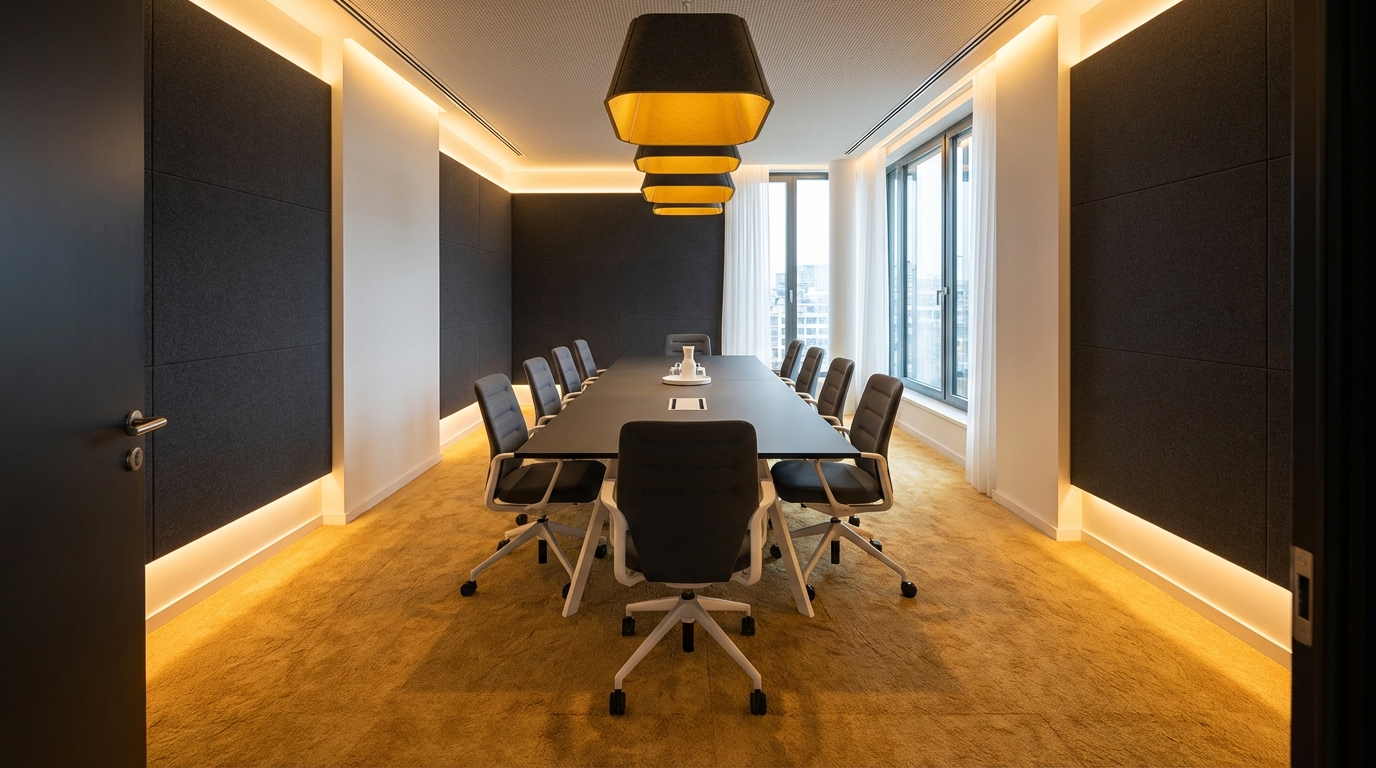
So, you are trying to understand conference room acoustics and why carpet matters so much in those rooms where you run meetings, pitches, and video calls. Carpet matters because it absorbs sound, cuts echo and background noise, makes voices clearer, and keeps your mics and speakers from fighting the room.
If your conference room has bare floors and lots of hard surfaces, sound will bounce around, calls will feel messy, people will repeat themselves, and everyone will get tired faster. When you add carpet, and you pick it the right way, you shape how the room “behaves” acoustically. That shapes how people hear you, how they perceive your brand, and even how fast meetings move.
Things you need to know:
- Hard floors reflect sound; carpet absorbs it.
- Echo and reverberation ruin speech clarity on calls and in person.
- Not all carpet is equal for acoustics; backing, thickness, and fiber matter.
- Conference rooms need a balance: clear sound, not dead sound.
- Carpet is only part of the solution; walls, ceiling, and furniture matter too.
- You can measure and predict acoustic performance with basic metrics.
- Good acoustics can improve meeting quality and even sales performance.
> If people keep saying “Sorry, can you repeat that?” during calls, you do not have a people problem, you have an acoustic problem.
> When a room sounds bad, everyone blames the microphone, but most of the time the floor and the walls are guilty.
> Treat the room like part of your tech stack. Carpet is one of the cheapest line items with one of the biggest acoustic returns.
> The best conference room mic cannot fix a room that behaves like a tiled bathroom.
> Sound is UX for your space; carpet is one of your main controls.
What actually happens to sound in a conference room
You want speech. You get speech plus reflections, echo, and noise.
When someone talks in a conference room, three things happen:
- Direct sound reaches your ears or the microphone.
- Reflected sound bounces off floors, walls, glass, and ceilings.
- Background noise from HVAC, hallway chatter, and devices blends in.
If the room has a lot of hard surfaces, the reflections stay strong for longer. You hear the original word plus tiny delayed copies of it. That “tail” is called reverberation.
A little reverberation can make a room feel alive. Too much turns “Did you say 15 or 50?” into guesswork.
Hard floors, like polished concrete, vinyl, or tile, behave almost like mirrors for mid and high frequencies. Those happen to be the frequencies that carry consonants: “s,” “t,” “k,” “f,” and so on. Lose clarity there, and speech sounds muddy, even if your system is expensive.
Carpet, by contrast, absorbs a chunk of that energy before it bounces back.
Why speech clarity is everything in a conference room
Video quality gets a lot of attention. People upgrade cameras, screens, lighting. All good. But your brain can tolerate lower video quality much more than poor sound.
From an acoustic point of view, a conference room has one job: carry speech clearly from one person to another, in the room and through the call.
If your signal chain looks like this:
Person → room → mic → software → remote listener
the “room” section is often the weakest link, and the floor is a big part of that room behavior.
Think about it:
- You can upgrade Zoom or Teams in minutes.
- You can swap a microphone in an afternoon.
- You only touch the floors every few years.
So when you ignore carpet, you lock in poor acoustics for a long time.
How carpet actually changes the sound field
Carpet affects three key acoustic properties:
- Reverberation time (RT60)
- Speech clarity (C50, C80, STI)
- Noise level (especially from footsteps and chair movement)
You do not have to become an acoustic engineer, but you should know what you are changing when you bring carpet into the room.
Reverberation time: how “ringy” the room feels
Reverberation time (RT60) is a simple idea. It is the time it takes for sound to drop by 60 dB after the source stops.
Rough ranges for spoken communication:
- 0.3 to 0.5 seconds: very dry, studio-like speech clarity.
- 0.5 to 0.7 seconds: good meeting room, natural sound.
- 0.8 to 1.2 seconds: big boardroom or hall, harder to understand speech.
- 1.5+ seconds: you are in an echoey hall or church territory.
A bare conference room with hard flooring and glass can easily sit at 0.8 to 1.2 seconds, even if it is not very large. Add carpet with decent acoustic absorption, and you can drop that into the 0.4 to 0.6 range, which is much more comfortable for speech.
Speech clarity metrics: the nerdy side
If you look at acoustic reports you might see:
- C50 or C80: how much early sound vs late reflections reach the listener. Higher is better for speech.
- STI (Speech Transmission Index): 0 to 1 scale. Above ~0.6 starts to feel clear for meetings.
You do not need to calculate these yourself. Just understand that carpet helps by reducing late reflections, which raises C50/C80 and improves STI.
In plain language: carpet helps the room “prioritize” the direct voice over the messy echo.
Noise from movement
There is another side to carpet you notice the second you walk into a room: impact noise.
On hard floors:
- Heels click.
- Chairs scrape.
- Laptop bags drag and thump.
- Rolling chairs rumble.
Every one of those sounds carries straight into microphones and into remote ears. On recordings it can be louder than the person speaking.
Carpet acts like a mechanical low-pass filter. It softens the attack of impacts and cuts the higher frequency content that microphones pick up. That makes movement less distracting and keeps the noise floor lower.
Why carpet plays so nicely with AV technology
If you care about AV gear, you should care about carpet.
Think about beamforming ceiling microphones, table mics, and soundbars. They all rely on clean direct sound and a fairly predictable reflection pattern.
Beamforming mics and reflections
Beamforming mics listen from many small microphone elements and combine them to focus on the talker.
When the floor is hard and reflective:
- The mic does not only hear the direct path from the speaker.
- It also hears strong bounces off the table, floor, and walls.
- The reflected sound arrives milliseconds later, confusing the algorithm.
Carpet will not magic away all reflections, but it pulls one of the big contributors out of the equation: the floor bounce.
The result:
- Cleaner capture for ceiling microphones.
- Less “roomy” sound on the far end.
- Better performance from echo cancellation in your conferencing codec.
Echo cancellation and the room
Your conferencing platform runs acoustic echo cancellation (AEC) so the far end does not hear their own voice coming back.
For AEC to work well:
- The room needs predictable reflections.
- Reverberation cannot be too long.
- The microphone should not be flooded with late reflections and noise.
Carpet helps keep AEC stable. If the room is too reverberant, the AEC starts to “chase” the tail, and you can hear:
- Pumping effects
- Chopped words when people overlap
So a simple floor choice gives you more value from all the software magic you pay for.
Not all carpet is equal for acoustics
Here is where a lot of projects go wrong. People say, “We have carpet, so we are fine.” The wrong type of carpet can underperform more than you expect.
There are three main parts to look at:
- Construction (broadloom vs carpet tile)
- Thickness and density
- Backing system
Broadloom vs carpet tiles
Most modern offices lean toward carpet tiles. They are easier to replace, easier to install, and friendlier for cable access.
For acoustics, the difference is not as simple as “broadloom good, tiles bad.”
| Feature | Broadloom Carpet | Carpet Tiles |
|---|---|---|
| Typical thickness | Varies, often thicker with pad | Thinner face yarn, but can have acoustic backing |
| Installation | Rolls, seams, pad optional | Individual tiles, easy replacement |
| Acoustic capability | Good, especially with cushion | Good if you choose high NRC/backing system |
| Maintenance | Harder to replace small areas | Replace single tiles as needed |
Some acoustic carpet tiles have specialized cushion backings. These can outperform basic broadloom glued straight to concrete, both in sound absorption and in impact sound reduction.
Thickness and fiber density
There is a common myth: “Thicker is always better for sound.”
That is not fully accurate. You care about:
- Fiber density (how tightly packed the yarn is).
- Pile height (how tall the yarn is).
- Cushion backing (how much give under the carpet).
You want enough material to absorb mid and high frequencies where speech lives. A dense, well designed commercial carpet with a cushion backing can offer strong absorption while still being practical for rolling chairs.
Overly thick residential-style plush carpet can actually get in the way of chair movement and ADA compliance, and you rarely see it in office conference rooms for that reason.
The role of backing
Backing is where a lot of the acoustic magic happens for impact noise.
Backings can be:
- Hard back (minimal cushion)
- Cushioned back (foam, rubber, or similar)
- Special acoustic backings rated for sound reduction
Thicker and softer backings reduce impact sounds (footsteps, chair movement) and can also increase absorption, especially at slightly lower frequencies.
If you are choosing tiles, look for products with published acoustic data like:
- NRC (Noise Reduction Coefficient)
- ΔLw or IIC (impact sound reduction indexes, often seen in building specs)
How to read basic acoustic specs for carpet
You will run into a few key metrics when you compare products.
Noise Reduction Coefficient (NRC)
NRC is a number between 0 and 1 that represents how much sound a material absorbs on average across some speech-related frequencies.
- 0.0 means total reflection.
- 1.0 means total absorption.
For floor coverings, NRC values are often in the 0.15 to 0.4 range, depending on the construction and backing. You do not need to match an acoustic panel on the wall; you just want a solid contribution from the floor.
If one product has NRC 0.15 and another has NRC 0.35, that difference multiplied across the entire floor area is meaningful.
Impact sound ratings (IIC, ΔLw)
These show how well a floor system reduces sound transmitted to the space below. It is more about your neighbors downstairs, but it also connects to perceived noise from footsteps in your own room.
- Higher IIC or ΔLw numbers = better impact sound reduction.
If your conference room sits over other workspaces, this matters for complaints. But even within the room, products with better impact ratings usually feel quieter.
Where to get this data
Most commercial carpet manufacturers publish acoustic test data in their technical sheets, especially for tiles aimed at offices.
Watch for:
- ASTM C423, ISO 354 for absorption
- ASTM E492, ISO 10140 for impact sound
You do not need to memorize standards; just learn to ask vendors for “absorption and impact sound performance” and compare the numbers.
Carpet in the bigger acoustic picture
Carpet is not the only lever you have. It is part of a full-room strategy.
Picture your conference room as a box:
- Floor: carpet or hard surface
- Ceiling: often a suspended grid or exposed concrete
- Walls: drywall, glass, maybe some panels
- Furniture: table, chairs, soft seating, credenzas
Each surface plays a role.
Why you cannot fix everything with carpet alone
If you carpet the floor but leave:
- All walls bare and painted.
- A hard gypsum ceiling with no acoustic treatment.
- A huge glass wall.
you will still have a room that feels live. Carpet cuts a big part of the reflection field, but not all of it.
The floor area is limited. The walls and ceiling often have more surface area combined, and they sit closer to people’s heads and microphones.
Carpet gives you a strong foundation, but then you usually add:
- Acoustic ceiling tiles or cloud panels.
- Wall panels or fabric-wrapped elements.
- Soft furnishings like curtains, acoustic partitions, or upholstered seating.
Even with all that, many AV integrators will tell you: the difference between “before carpet” and “after carpet” is felt immediately.
Balancing absorption and liveliness
You can overdo absorption. Too much, and the room starts to feel strange, like a recording booth. That can be uncomfortable for longer meetings.
The balance for a conference room:
- Enough absorption to keep RT60 in the 0.4 to 0.6 second range.
- Enough reflective surfaces to keep voices natural and not too close.
Carpet on the floor plus some controlled absorption on the walls and ceiling usually hits this sweet spot.
Real-world scenarios where carpet fixes specific problems
Let us walk through a few common situations. You might recognize your own rooms here.
Scenario 1: Glass boardroom with concrete floors
Room features:
- Large table for 10 to 14 people.
- Glass wall to the corridor.
- Concrete or vinyl floor.
- Flat gypsum ceiling with recessed lights.
Symptoms:
- Echo on calls, especially when people speak loudly.
- Recording sounds “boomy” and distant.
- Remote attendees complain they cannot hear people at the far end of the table.
Acoustic moves:
- Add carpet tiles with decent NRC and cushion backing across the entire floor.
- Introduce a sound-absorbing panel on the wall opposite the glass, or fabric art with acoustic core.
- If budget allows, swap part of the ceiling area with acoustic clouds or tiles.
Expected change:
- Direct sound stands out more against reduced floor bounce.
- People feel less need to raise their voice.
- Microphone gain can be set lower, which further reduces room noise.
Scenario 2: Huddle room converted from a storage area
Room features:
- Small room, 3 to 4 people.
- Cheap laminate floor left from original build.
- Solid door, one drywall wall shared with hallway.
- Soundbar and camera mounted under a display.
Symptoms:
- Surprisingly noisy footsteps and chair movement on calls.
- Room sounds “hollow” even though it is tiny.
- Remote users complain that typing and mouse clicks are louder than voices.
Acoustic moves:
- Install carpet tiles wall-to-wall, with emphasis on impact sound reduction.
- Add a small rug under the table if full carpet is not possible, but go as large as you can.
- Put one to two acoustic panels on the wall opposite the display.
Expected change:
- Footsteps and chair sounds soften right away.
- HVAC and hallway noise become less intrusive.
- Microphone picks up more voice, less mechanical noise.
Scenario 3: Multi-use training room
Room features:
- Movable tables and chairs.
- Projector, ceiling speakers, wireless mics.
- Used for training, town halls, and workshops.
- Vinyl flooring for easy cleaning.
Symptoms:
- Group discussions become chaotic; voices blur together.
- QLoud when people move chairs around or rearrange the room.
- Lecturer’s voice struggles to rise above room noise.
Acoustic moves:
- Install durable commercial carpet squares with stain-resistant fibers.
- Focus on a product that balances cleaning needs with acoustic performance.
- Combine with ceiling treatments to manage larger volume of the room.
Expected change:
- Far-field voice pickup improves for people at the back.
- Group work becomes more manageable as background clatter drops.
- People feel less drained after long sessions.
Health, fatigue, and perception: the hidden metrics
Acoustics in a conference room is not just about “can you technically hear someone.”
There is a cognitive load cost.
Listening effort and fatigue
When a room has poor acoustics, your brain works harder to:
- Fill gaps where words are masked.
- Separate the speaker’s voice from reflections and noise.
- Track multiple people speaking in different positions.
You might not notice it right away, but after a day of back-to-back meetings in such rooms, people feel drained.
Carpet, by reducing reverberation and noise, cuts that load. People can focus on content instead of sound.
Perception of professionalism
Sound shapes how people perceive your company when they visit or join a call.
If a client hears:
- Clanging chairs, echo, and background chaos.
during a pitch, they subconsciously connect that with disorganization.
If the room sounds controlled:
- Clear voices, minimal echo, quiet movement.
it feels more considered. You would not show up to a meeting with a cracked laptop screen. You should not run a flagship conference room that sounds like a stairwell.
Common myths about carpet and acoustics
You will run into a few repeated claims. Let us unpack them.
“We do not need carpet; our acoustic panels are enough.”
Wall and ceiling treatments are very useful, but they do not replace the role of the floor.
Reasons:
- Impact noise from footsteps and chairs is best handled at the floor level.
- Floor reflections are a major part of the early reflection pattern for seated talkers.
- Carpet covers a large uninterrupted area, which panels rarely match.
You can make a hard floor room sound decent with heavy wall and ceiling treatment, but you will fight impact noise forever.
“Any carpet will fix the acoustics.”
Some low-quality or very thin carpets glued directly to concrete offer limited acoustic gains.
If you choose only for color or cost, you might:
- Reduce impact noise a bit.
- Get minimal gains in absorption.
If acoustics is a priority, you need to review the product’s NRC and backing system, not just the sample board.
“Carpet is bad for indoor air quality, so we avoid it.”
Older carpet products had valid concerns around VOCs and allergens. Modern commercial carpets, when chosen and maintained correctly, can meet strict indoor air standards.
Look for:
- Third-party certifications for low emissions.
- Installation methods that avoid heavy solvent-based adhesives where possible.
- A real cleaning program to keep dust and particles under control.
You can have good air quality and good acoustics at the same time.
Planning conference room acoustics: a simple process
You do not need a huge team to make smart decisions. A simple process helps.
1. Define what “good” looks like
For most conference rooms, your goals look like:
- People in the room can hear each other clearly at normal speaking volume.
- Remote attendees report clear, natural sound.
- Recordings are intelligible without heavy post-processing.
- Movement and background noise do not dominate the call.
You might add metrics if you work with an acoustic consultant, like target RT60 and STI.
2. Audit the existing room
Walk in and pay attention.
- Clap and listen to the decay of the sound. Does it ring?
- Listen to a colleague speaking at one end while you sit at the other.
- Check surfaces: how much of the room is glass, painted drywall, and hard flooring?
- Run a short test call and record it from the remote side.
This is crude, but it gives you a baseline sense of the problem.
3. Talk to your AV team or integrator
Before you finalize finishes, loop in whoever owns AV.
Ask them:
- What mic and speaker system is planned or installed?
- Have they had complaints about room sound?
- Do they have recommended acoustic targets for that room size?
Often AV pros have seen the same problems in many spaces and can point you to carpet products they have seen work well.
4. Select carpet with acoustic performance in mind
When you review options:
- Shortlist carpets with published acoustic ratings.
- Compare NRC and impact sound reduction figures.
- Balance that with durability, maintenance, and rolling resistance for chairs.
If your budget is tight, prioritize the rooms that matter most: executive boardrooms, large video-first rooms, and client-facing spaces.
5. Combine with wall and ceiling strategies
Carpet gives you a base, but plan for:
- Acoustic ceiling tiles or clouds in bigger rooms.
- Wall panels on at least two sides for medium and large rooms.
- Soft furnishings like curtains or acoustic baffles near glass.
Think of it like building a tech stack: carpet is a key component, but not the whole story.
When to bring in an acoustic consultant
For small huddle rooms, you can often work with rules of thumb and vendor guidance.
For spaces that:
- Seat 12+ people.
- Host board meetings or investor calls.
- Serve as all-hands or training rooms.
it can pay off to bring in an acoustic consultant for a short engagement.
They can:
- Measure current RT60 and STI.
- Model the room with different materials, including carpet options.
- Recommend specific absorption targets and treatment locations.
Compared to the cost of the room build, a small acoustic consulting fee is often minor, and it can keep you from over-spending on the wrong upgrades later.
Cost perspective: how carpet fits into your tech budget
From a tech and facilities point of view, carpet is an infrastructure investment that directly supports your AV tools.
Helpful way to think about it:
- AV hardware: microphones, speakers, DSPs, cameras.
- AV software: conferencing platform, room control.
- Environment: acoustics, lighting, furniture, layout.
Most companies focus spending on hardware and software. But the environment multiplies or divides the value of that spend.
A simple mental model:
- Great AV in a bad room: often sounds bad.
- Decent AV in a good room: often sounds surprisingly good.
Carpet sits in that environmental layer. Its cost per room is often lower than a single high-end microphone, but it benefits every device you place in the space.
Practical tips for choosing carpet for conference rooms
To wrap this into actions you can take on your next project, here are some straightforward tips.
Prioritize acoustic backing in key rooms
When you get the spec sheet from your flooring vendor, ask:
- “Which carpet tiles have the best sound absorption and impact sound ratings?”
- “Can you provide the NRC and impact sound data for these products?”
Focus your better acoustic products in:
- Boardrooms
- Medium and large video rooms
- Training and town hall spaces
For low-priority rooms, you can use standard commercial carpet, but keep in mind that a consistent product across the floorplate may streamline maintenance.
Cover as much floor area as you realistically can
If full carpet installation is blocked by design or budget, treat rugs carefully:
- Go larger: a small rug under the table leaves reflective pathways around it.
- Place the rug so all chairs stay on it, even when pulled back.
- Use dense, low-pile commercial rugs, not fluffy residential styles.
Full wall-to-wall carpet will still outperform rugs, but big, well-placed rugs are better than bare floors.
Test before locking in across all rooms
If you have many conference rooms to build or refresh:
- Pick one or two rooms as pilots.
- Install the chosen carpet there first.
- Run real meetings and record calls for comparison.
Compare:
- Same mics and AV in a hard-floor room vs your pilot carpeted room.
- Feedback from regular users after a week.
That small pilot reduces risk and gives you real data to justify broader changes.
Keep a simple acoustic checklist with your room design standards
Add a sound-focused section to your conference room standards, so this does not rely on memory next time.
Include items like:
- Target reverberation range (0.4 to 0.6 seconds for most rooms).
- Minimum acoustic spec for carpet (e.g., NRC threshold, cushion backing type).
- Required combination of carpet, wall panels, and ceiling treatment by room size.
Then, whenever you or your facilities team opens a new floor or renovates a space, that checklist travels with the standard furniture and AV requirements.
A simple final step you can take this week: walk into your most used conference room, clap once, listen, then roll a chair back and forth and record 20 seconds on your phone. If it sounds sharp, echoey, and distracting, your next flooring choice should include carpet with clear acoustic performance in mind.